
6.30 Adding The Quest Operations As New Module
Hello in this document it will be explained how to handle Quest Operations as new module.
1. Setting Up the Custom Navigation Screen
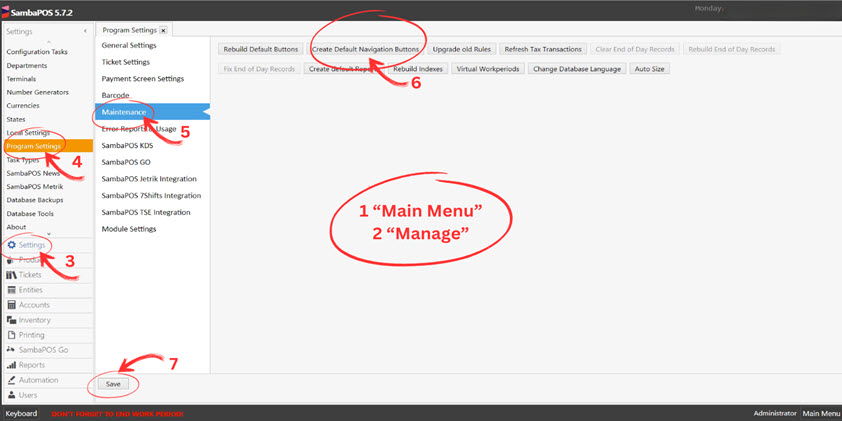
Go to
Main Menu > Manage > Settings > Program Settings > Maintenance.Click
Create Default Navigation Buttonsand save your changes.Enable custom navigation in
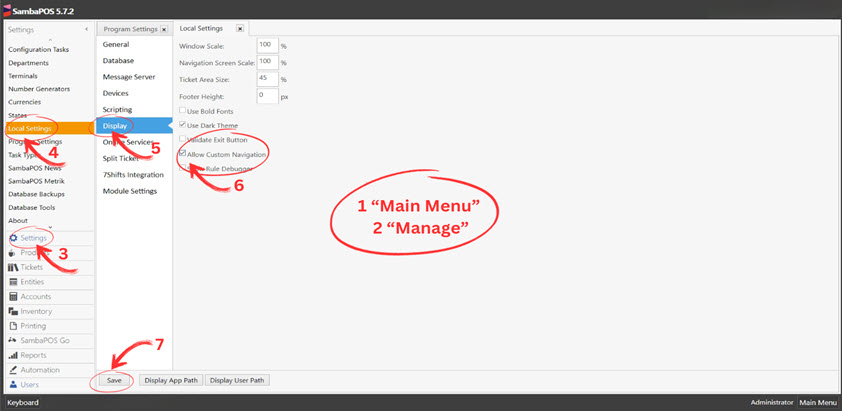
Main Menu > Manage > Settings > Local Settings > Display.
2. Creating an Automation Command
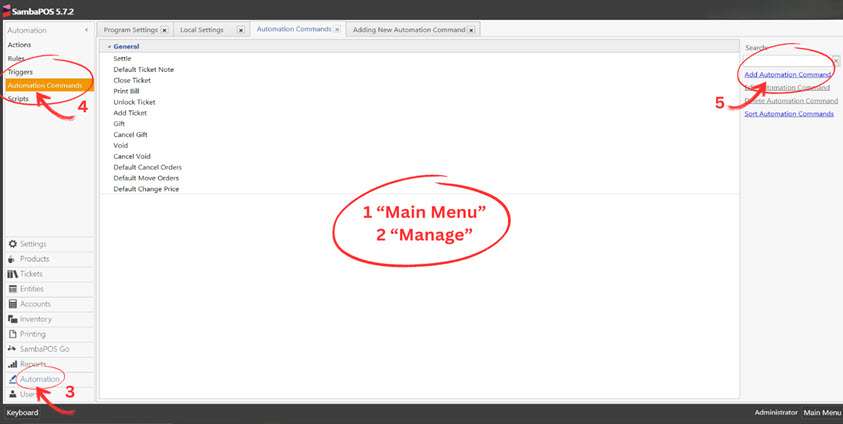
Navigate to
Main Menu > Manage > Automation > Automation Commands.Click on
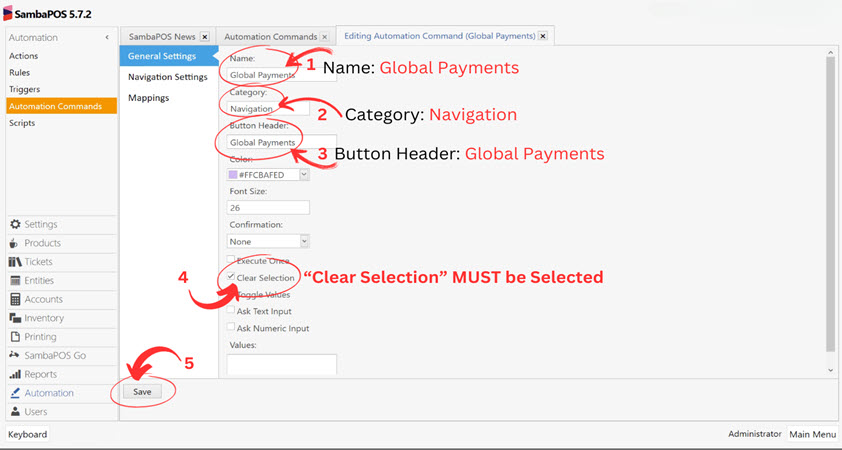
Add Automation Commandand fill in:Name: Global Payments
Category: Navigation
Button Header: Global Payments
Color: [Choose desired color]
Clear Selection: Enabled
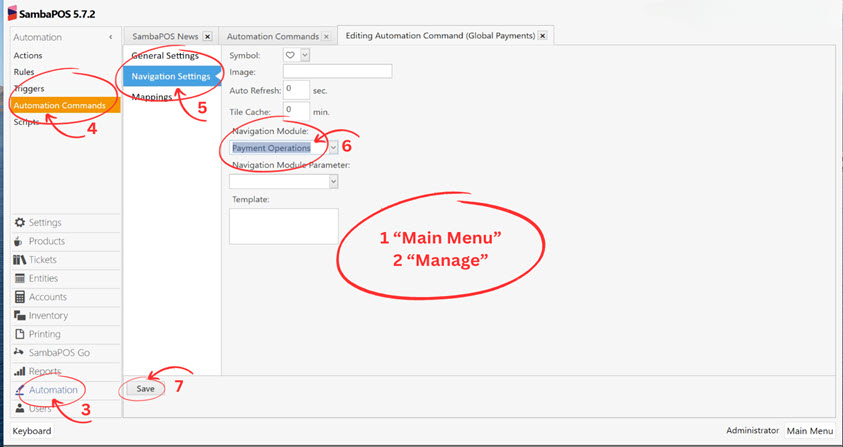
Symbol: [Choose a symbol]
Navigation Module: Payment Operations
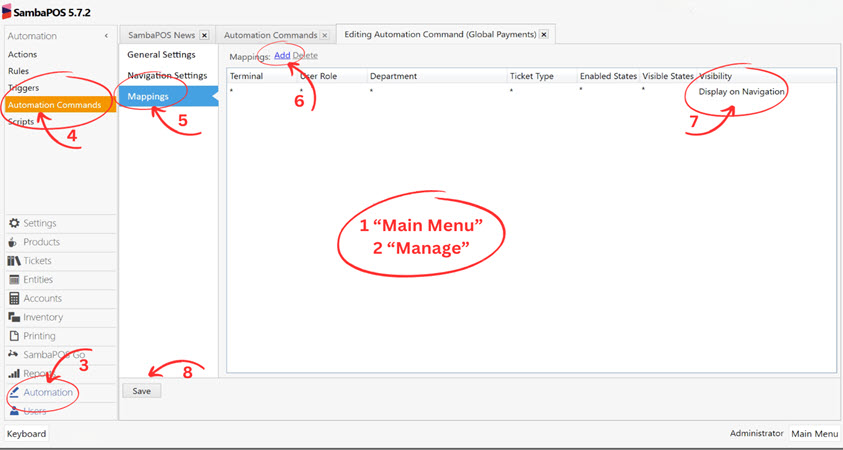
Add a new row in Mappings with
Visibility: Display on Navigation.Save your changes.
3. Restart SambaPOS V5 Pro
After completing the setup, restart SambaPOS V5 Pro to apply changes.