
Customization
4.94 How to Export Customer List in Excel Format
In this document it will be explained how to export the Customer List in the Excel Format.
1. Adding Report
Main Menu > Manage > Reports > Reports > Here, click on Add Report.
Into the template field copy/paste below code group;
[Customer List:3,5,5]
>Name|Phone|Address
{REPORT ENTITY DETAILS:E.Name,EC.Phone,EC.Address:(ET=Customers)}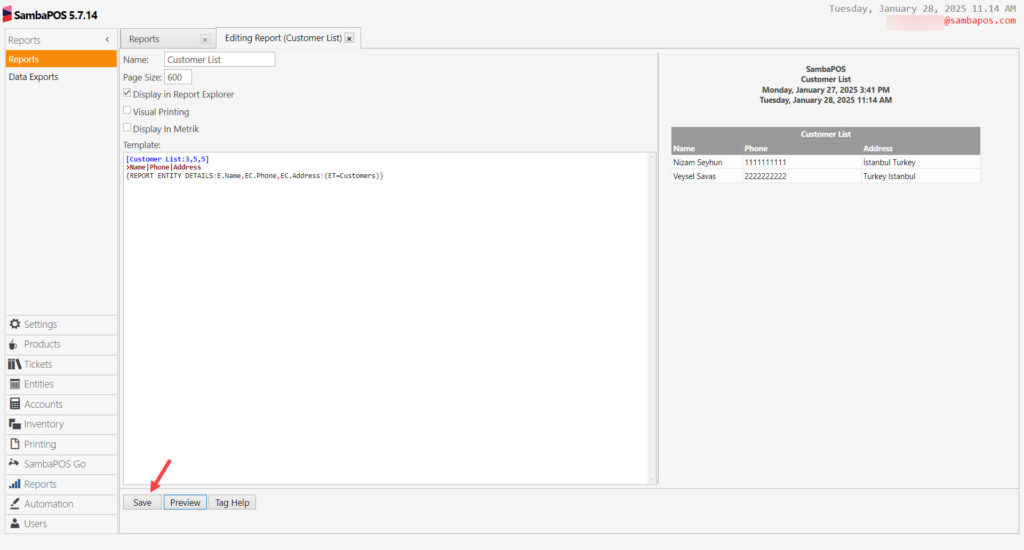
After completing necessary editings, click on Save button.
2. Adding # Character to Customer List Report
Main Menu > Manage > Reports > Select Customer List report > Put # in front of its header, for example;
Customer List > [#Customer List: 3,5,5]
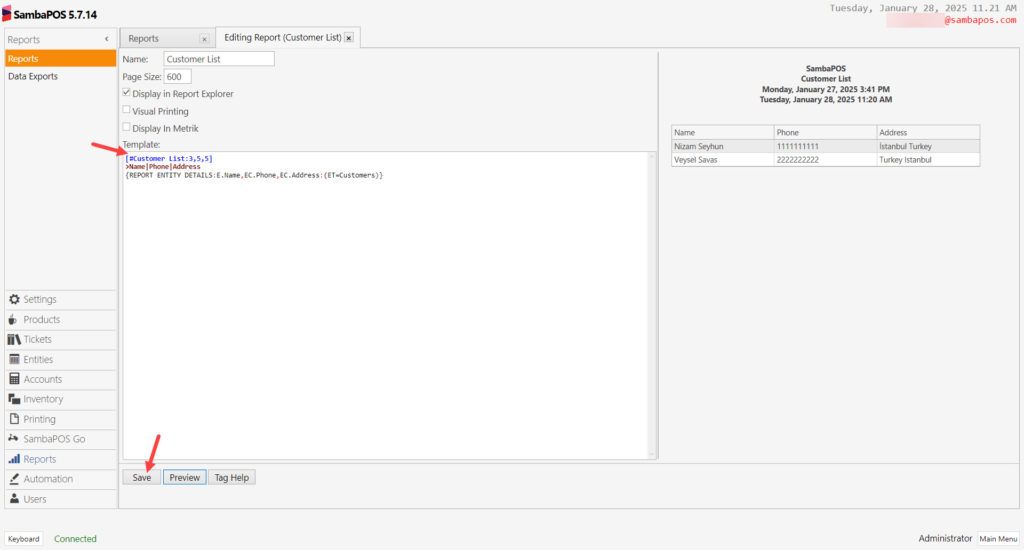
After completing necessary editings, click on Save button.
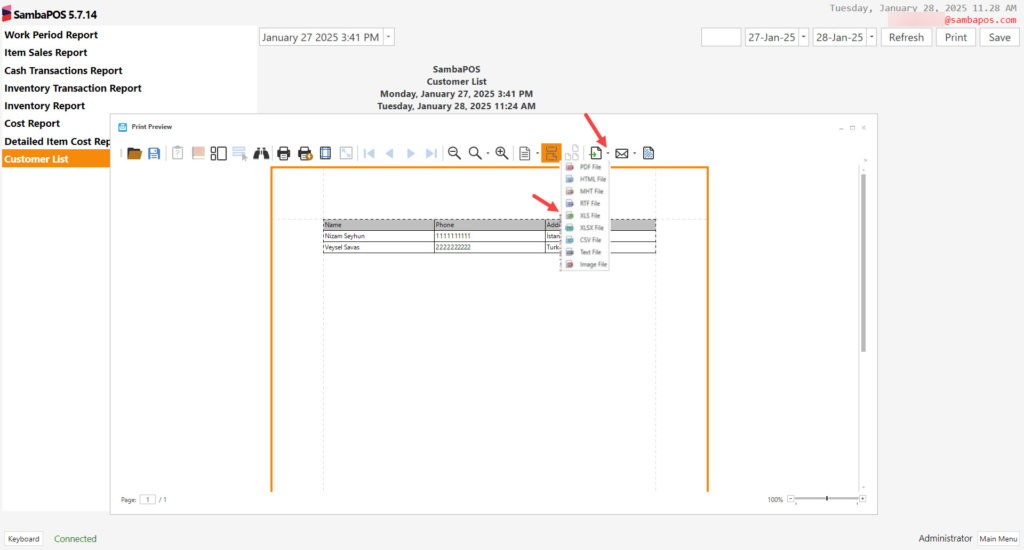
3. Exporting Related Report in Desired Format
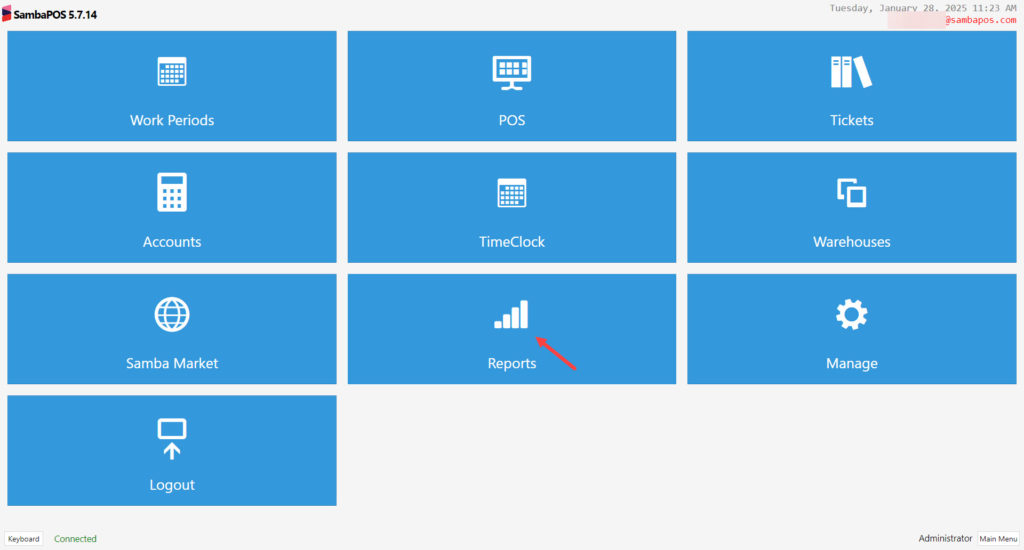
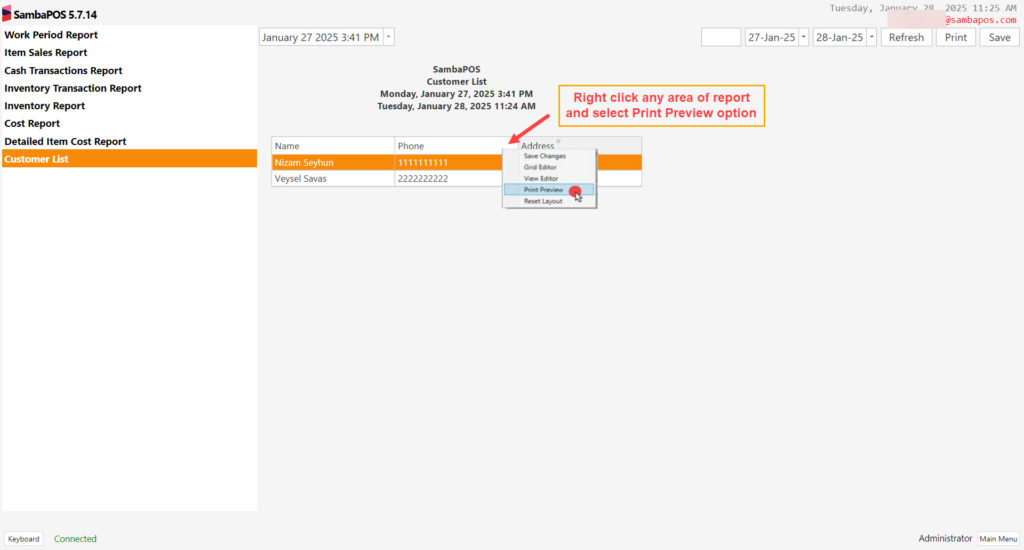
Main Menu > Reports > Select Customer List Report > Here, right click any area of report and select Print Preview option.