
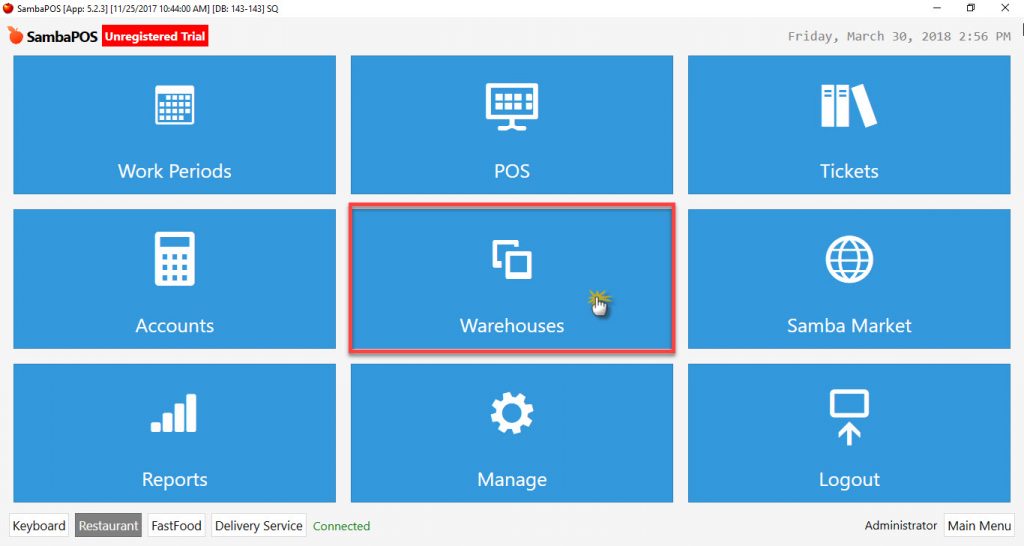
5.5.7.a General Features of Warehouses
Go to Navigation > Warehouses. Inventory movements of the products which has been sold after starting work day are displayed, managed and tracked in this menu.
Warehouses Screen: It shows current Warehouse inventory status.
Display Cost Screen: It shows current item costs.
Purchase Screen: Warehouse purchases are made in here.
Note:
In warehouses menu, it is possible to display inventory status and costs that only from the last start work period process. For different working periods, use related Reports from Navigation > Reports menu.
Description:
Purchase: Inventory entry operation into warehouse.
Inventory: Name of purchased raw materials, semi-finished products and products.
Product: The goods that are offered for sale by producing the inventories by using recipes are called Product (The products which without recipe, can’t be displayed in the warehouse.)
Inventory Cost: It is calculated by dividing inventory price total to inventory quantity total.
Product Cost: Calculated by dividing inventory quantity that used in recipes to inventory cost.
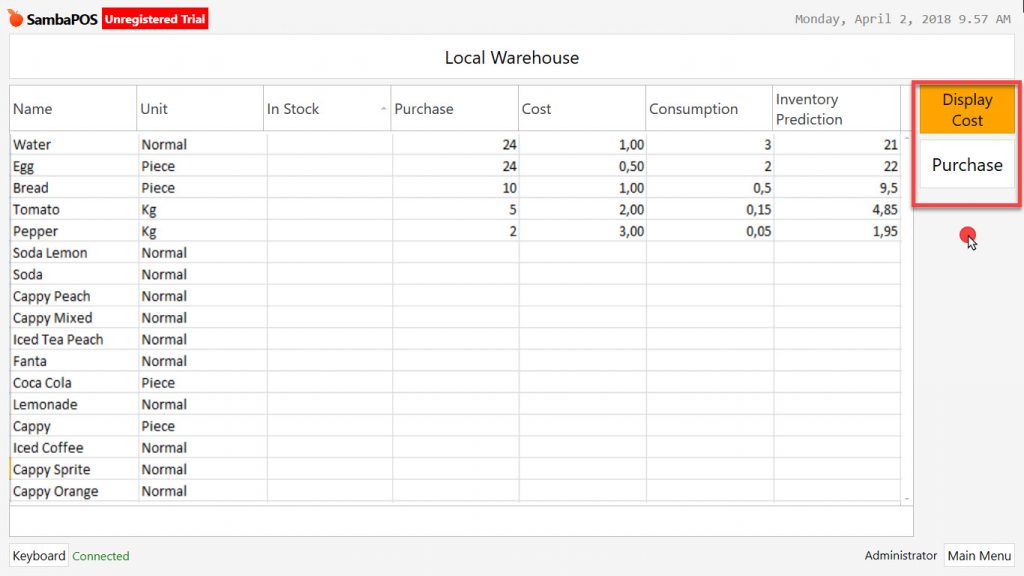
1- Warehouses Screen
Name: Purchased inventory raw materials, semi-finished products and products.
Unit: Inventory transaction unit (Quantity, Kg, Lt, Cl etc.)
Transfer: Inventory status that transferred from previous working period. (Inventory amount after sale and counting)
Purchase: Inventories that has been purchased after start work period.
Cost: After start work period, proportioning of current inventories to purchasing price.
Consumption: Product transaction amount. (Total amount that after Sales, Void, Gift, Lost)
Inventory: Inventory amount after transactions.
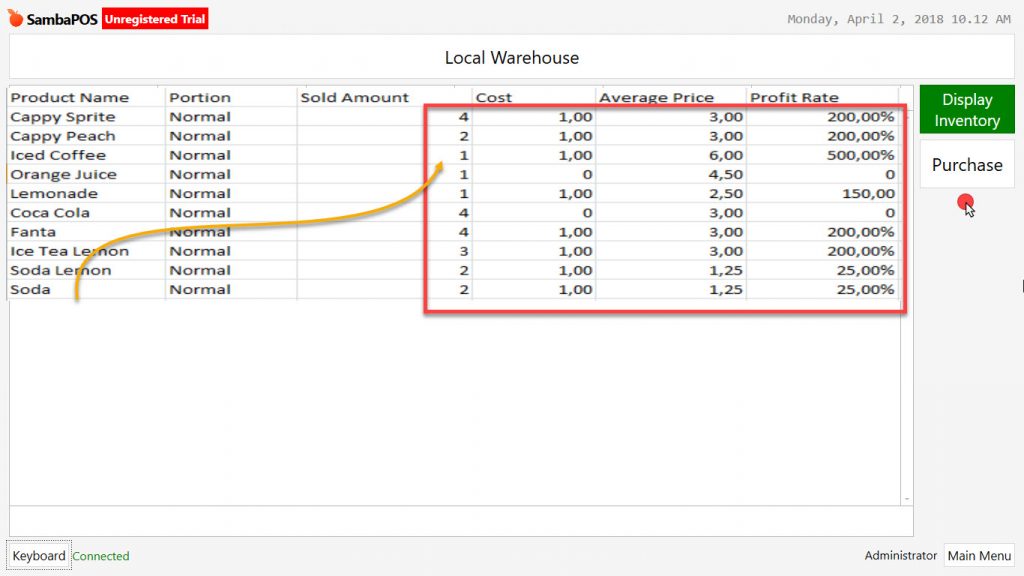
2- Display Cost
Product Name: Goods that produced for sale.
Portion: Defined different unit amounts of sold products. (Little soup)
Sold Amount: Amount of sold products. (Including Void, Gift)
Cost: Inventory cost.
Average Price: Average price through purchasing prices after start work period.
Profit Rate: Profit rate that is calculated by Purchase/Production, cost price and sale price.
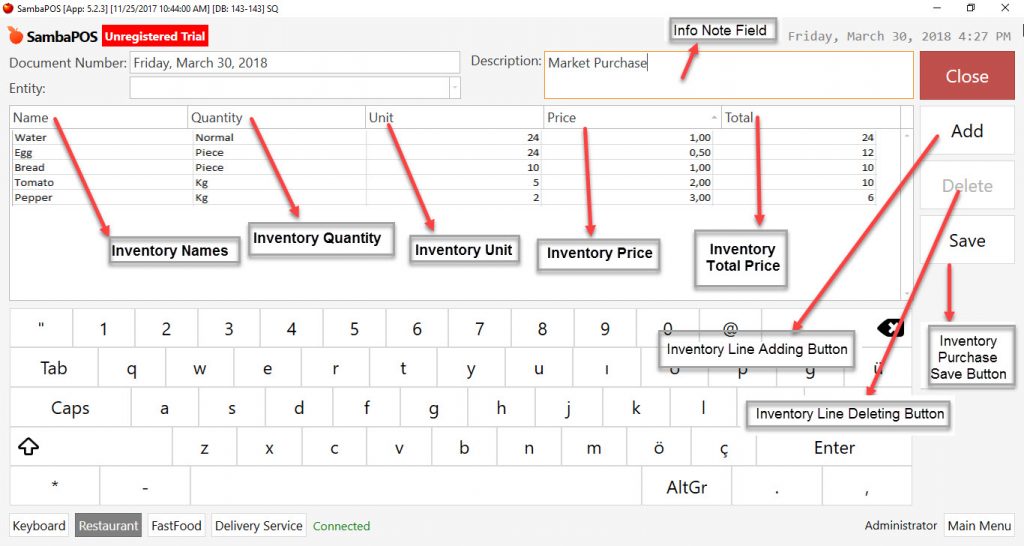
3- Inventory Purchase (Entry) Operations
Ticket Number: SambaPOS automatically uses the process date as ticket number. It is also possible to customize ticket number according to restaurant’s need.
Entity: For inventory purchase you can select Supplier Entity selection.
Description: It is possible to write reminder about purchase operations.
When you click on Add button, you will see below titles;
Name: Inventory Name (Product, Semi-finished product)
Quantity: Inventory Quantity.
Unit: Inventory Unit Definiton. (Piece, Kg, Gr, Lt, Can, Box)
Price: Inventory unit price.
Total: Inventory total price amount.
Create a purchase line for inventory purchase by using Add button.
It is possible to delete these lines.
When you click on Save button purchasing process will be saved.