
SambaPOS Basic Setup
2.2.10.b How to Create / Edit User?
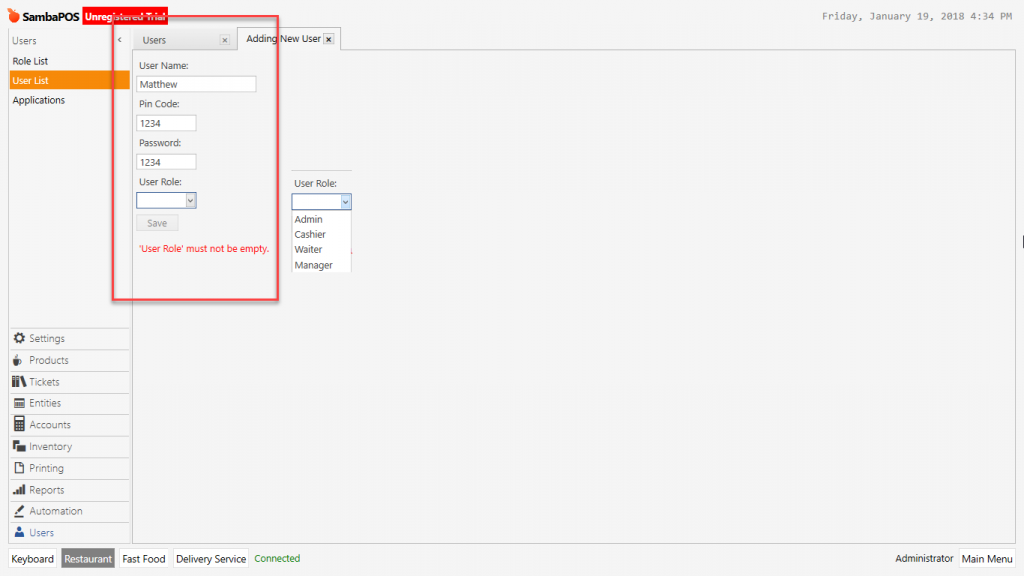
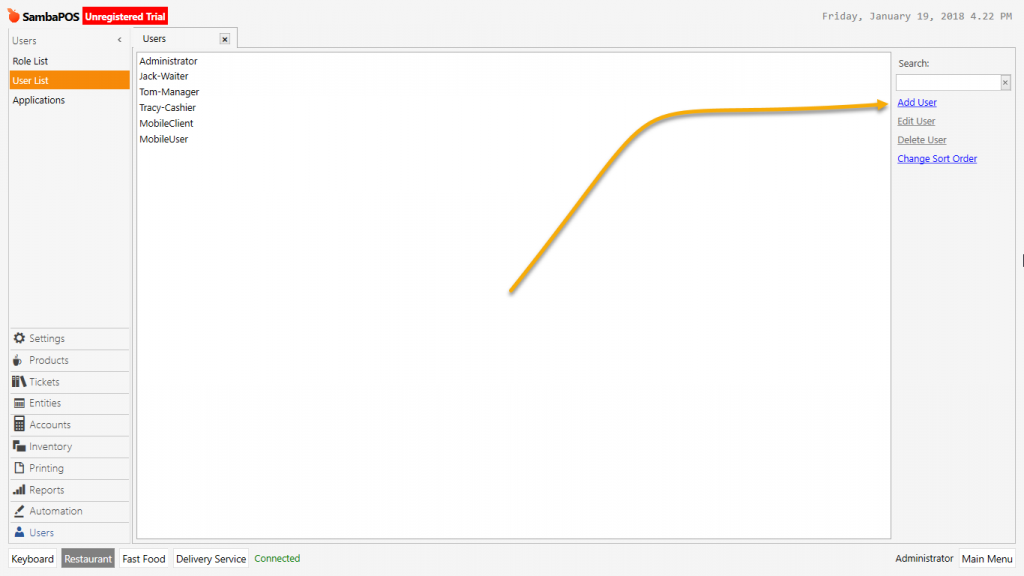
To add user in SambaPOS after login with admin password go to Manage > Users > User List Click on Add User. In the window enter the User name, Pin Code and Password.
Pin and Passwords have to consist of minimum 4 character. Different user can not use same pin and password.
Pin Code is for entering from SambaPOS screen.
Password is used for connections which will be making through GraphQL. (Example; Android Client Users, Handy Terminals)
Users will be authorized according to selected role.